AI search prompt tracking, from a set of 50 to 100 prompts
AI search prompt tracking means fixing the questions you want AI answers judged on, then asking them the same way every week. Seenby generates that set at setup, 50 to 100 prompts drafted from your brand, your description and up to three competitors you name, for brand managers and heads of SEO at mid-market companies who already pay for a traditional SEO suite and cannot get this number out of
Seenby is not open yet, so anything on this page about what it does is what it is being built to do.
A number you can compare twice
What a screenshot can tell you
In an AI answer there is no result page to rank on. There is one paragraph, sometimes a list, and either your brand is named in it or it is not. So most teams start the way you would expect: someone on the brand side types five or six questions into ChatGPT, screenshots the two answers that name a competitor and not them, and sends it to the CMO. That is a real signal, and it is worth acting on.
What it cannot
It is not a measurement. Ask the same question an hour later and the wording moves, the order of names moves, and sometimes a brand drops out entirely. A hand-typed sample cannot tell you whether that is a change in the market or a change in the weather.
The unit you measure therefore stops being a keyword and becomes a prompt, the actual sentence a buyer types when they ask ChatGPT or Perplexity for options in your category. The hard part sits at the front. Pick too few prompts and one unlucky answer swings your whole reading. Pick the wrong ones, prompts nobody would actually type, and you are measuring a category that does not exist. Seenby does that choosing during onboarding, from what you already know about your own market, so the question list is not a blank document waiting on you in week one.
The hand-typed sample set beside the frozen prompt set
Today: five or six questions, typed once
A person asks ChatGPT what it recommends, screenshots the worst answer, and files it. There is no fixed set, so next month's screenshot has nothing to be compared against and no way to show whether anything moved.
With Seenby: 50 to 100 prompts, frozen at setup
One model call drafts 50 to 100 prompt templates from your brand name, your description and up to three competitor names, with a curated fallback set if that call fails or returns too few. The set is then kept as it was written.
What changes: a move you can attribute
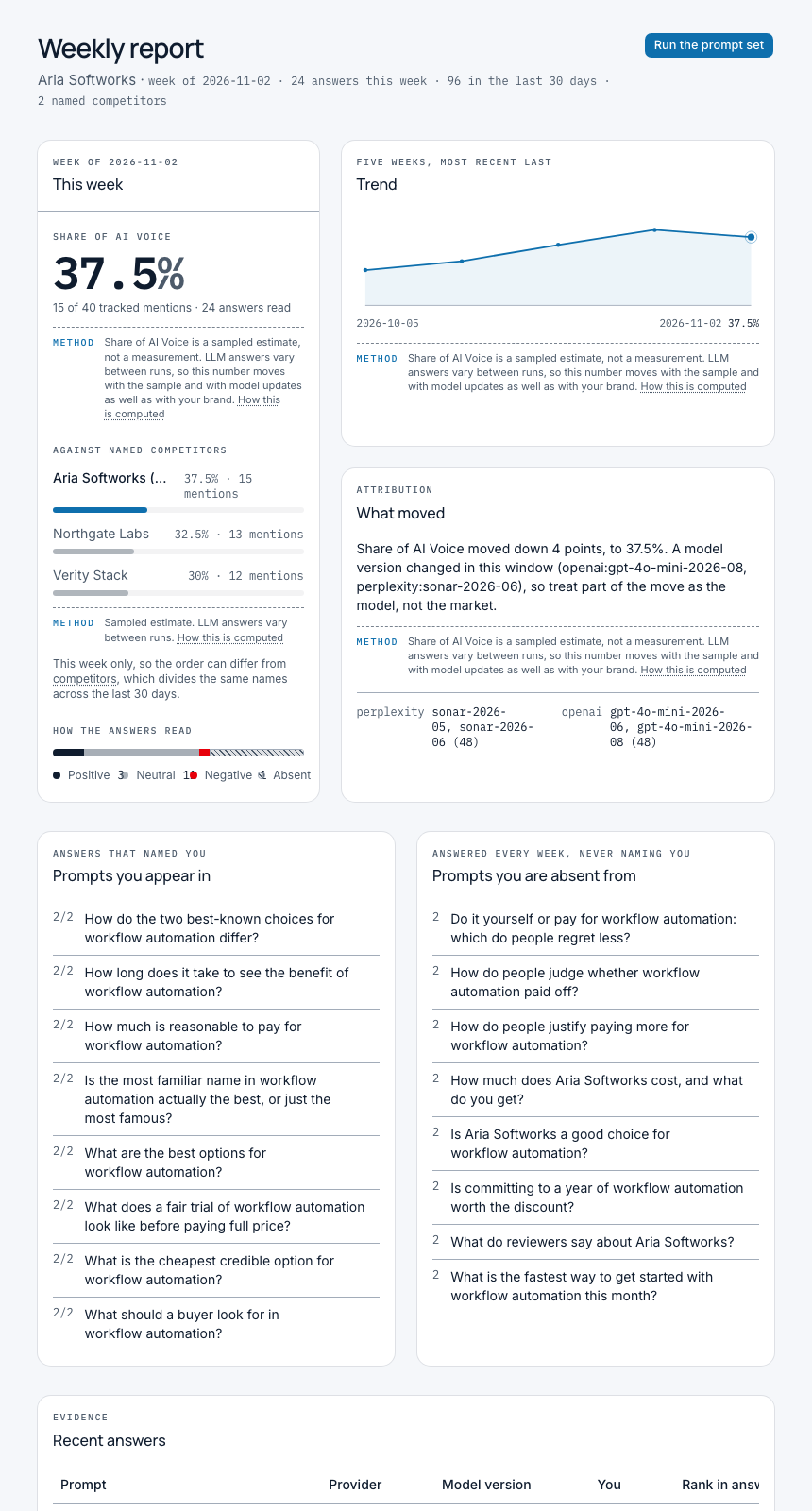
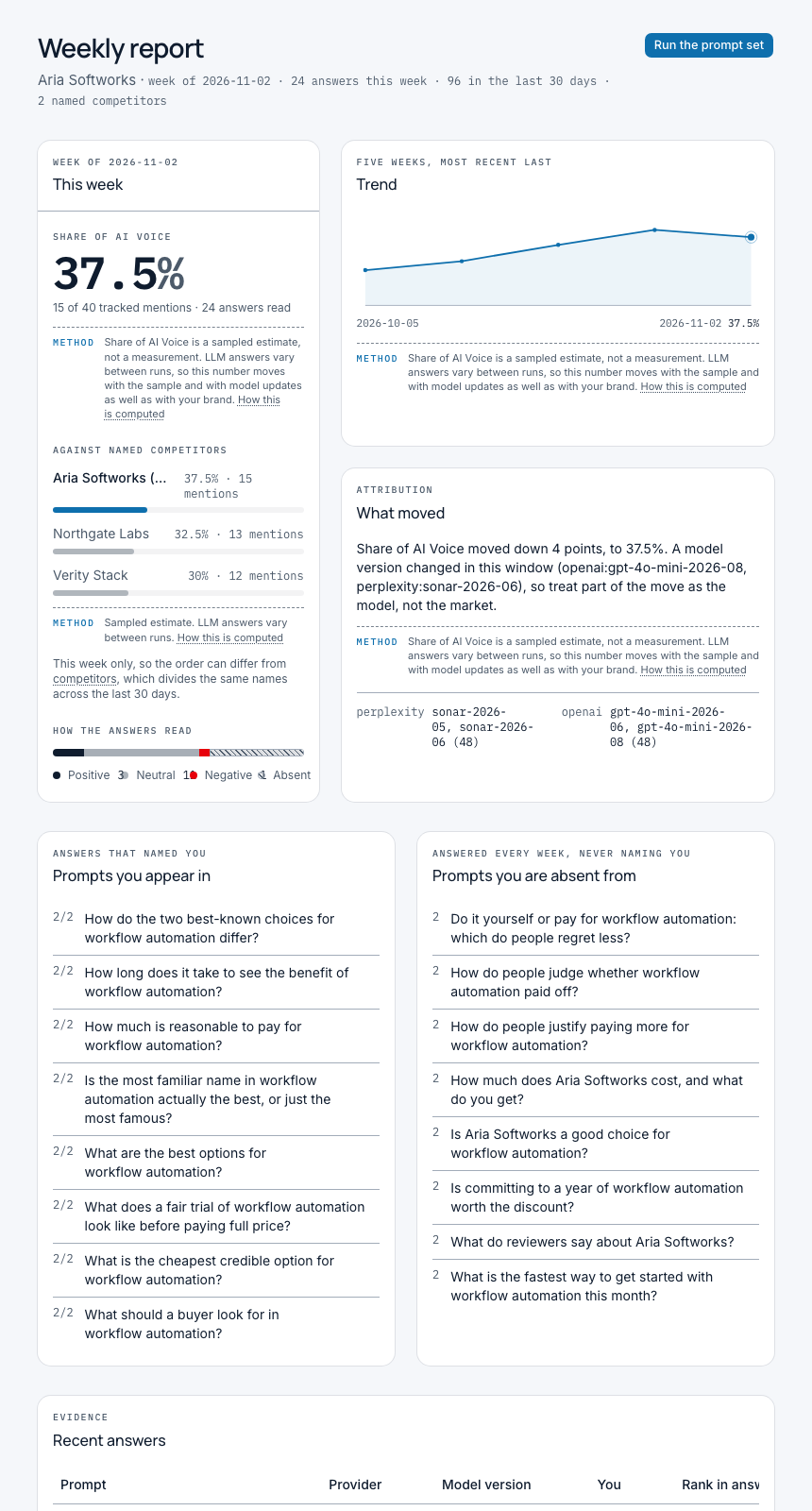
The same questions run against the same two providers, OpenAI and Perplexity, and every answer is stored tagged with the model version that produced it, so a shift can be read against a model update rather than mistaken for one.
What the evidence behind one number looks like
The response parser reads every stored answer: it extracts your brand and your competitors' mentions, classifies each as positive, neutral, negative or absent, and records the ranking position within that response. This is the same question asked the same way every week, not a hand-typed sample.
How Seenby builds your prompt set
- Enter your brand name and a description
The description is the input that shapes everything downstream: what you sell, who buys it, the category a buyer would name when they ask for options. A thin description produces thin prompts, so this is the field worth ten minutes rather than ten seconds.
- Name up to three competitors
You name the companies you are actually compared against, up to three. Those names go into the generation step, so the prompts are written to surface a comparison rather than a mention in isolation.
- One model call drafts 50 to 100 prompts
Seenby makes a single call to an Anthropic model, which returns between 50 and 100 prompt templates built from your brand, your description and your competitor set. That happens once, during onboarding, not on a schedule.
- A curated fallback covers a failed generation
If the generation call fails, or comes back with too few prompts to be useful, Seenby uses a curated template set instead rather than leaving you with a half-built list.
- The set is stored as it stood at setup
Your prompts are kept as they were written, not rewritten each cycle. The scheduled query engine reads them against exactly two providers, OpenAI and Perplexity, behind an adapter that degrades to the remaining provider if one is disabled. Starter runs 50 prompts a week, Growth 100.
How you read the week your prompt set produced
Start with the 30-day trend line
Share of AI Voice is shown on the dashboard as a 30-day trend, and a trend line is only legible when the question behind each point is the same question. A fixed set is the condition for the chart, not a feature beside it.
Read the volume standing behind each point
Fifty to a hundred prompts a week, across both providers, is well past what a brand manager will run by hand, and that volume is what stops a single odd answer from defining your reading of the week.
Sort the prompts by whether they name you
The dashboard shows the top prompts where your brand is mentioned and the top prompts where it is absent, which turns the set from a count into a list of specific questions to go and earn.
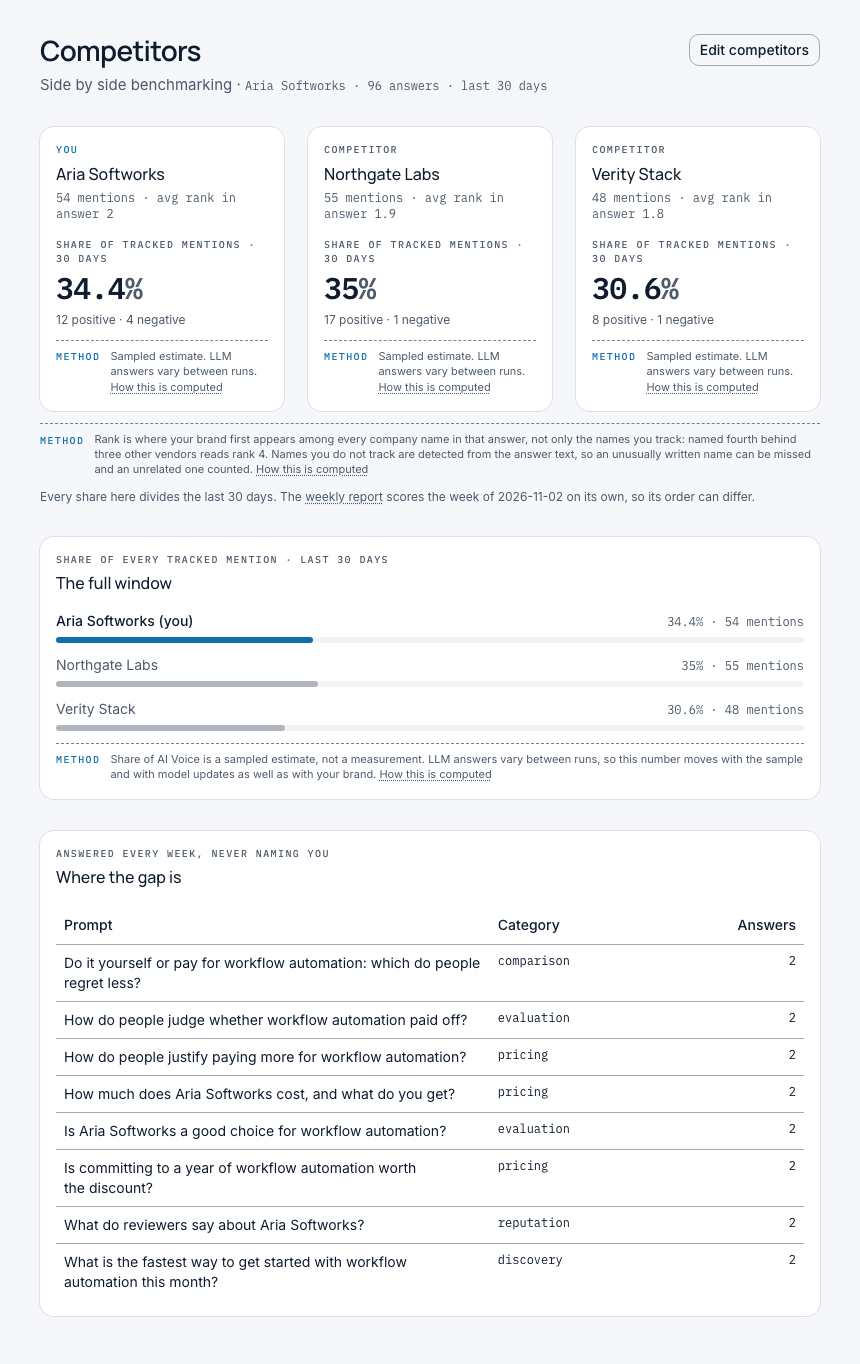
Check your three named competitors in the same answers
The competitor names you entered feed the generation step, so the set is built to produce comparisons, and the benchmarking view reads those comparisons back. That is what makes a share figure mean something instead of floating free.
Open the answer behind any number
Answers returned for your prompts are stored tagged with the model version that produced them, and emails, phone numbers, handles and personal names are redacted before any answer becomes queryable. Growth keeps the per-prompt evidence and the full scrubbed log for as long as the account exists.
The prompt set across the three plans
| Item | Starter | Growth | Agency |
|---|---|---|---|
| Price | £79 / month | £149 / month | £399 / month |
| Brands | 1 | 1 | Up to 5 |
| Prompts per week | 50 | 100 | 100 per brand |
| Named competitors | Up to 3 | Up to 3 | Up to 3 per brand |
| AI providers | OpenAI and Perplexity | OpenAI and Perplexity | OpenAI and Perplexity |
| How the set is created | One LLM call at setup, from your brand name, description and competitor names | One LLM call at setup, from your brand name, description and competitor names | Its own frozen set for each brand |
| If generation fails | A curated fallback template set | A curated fallback template set | A curated fallback template set |
| Answer log history | 30 days | Kept while the account exists | Kept while the account exists |
The caveat travels with the score, not with the small type
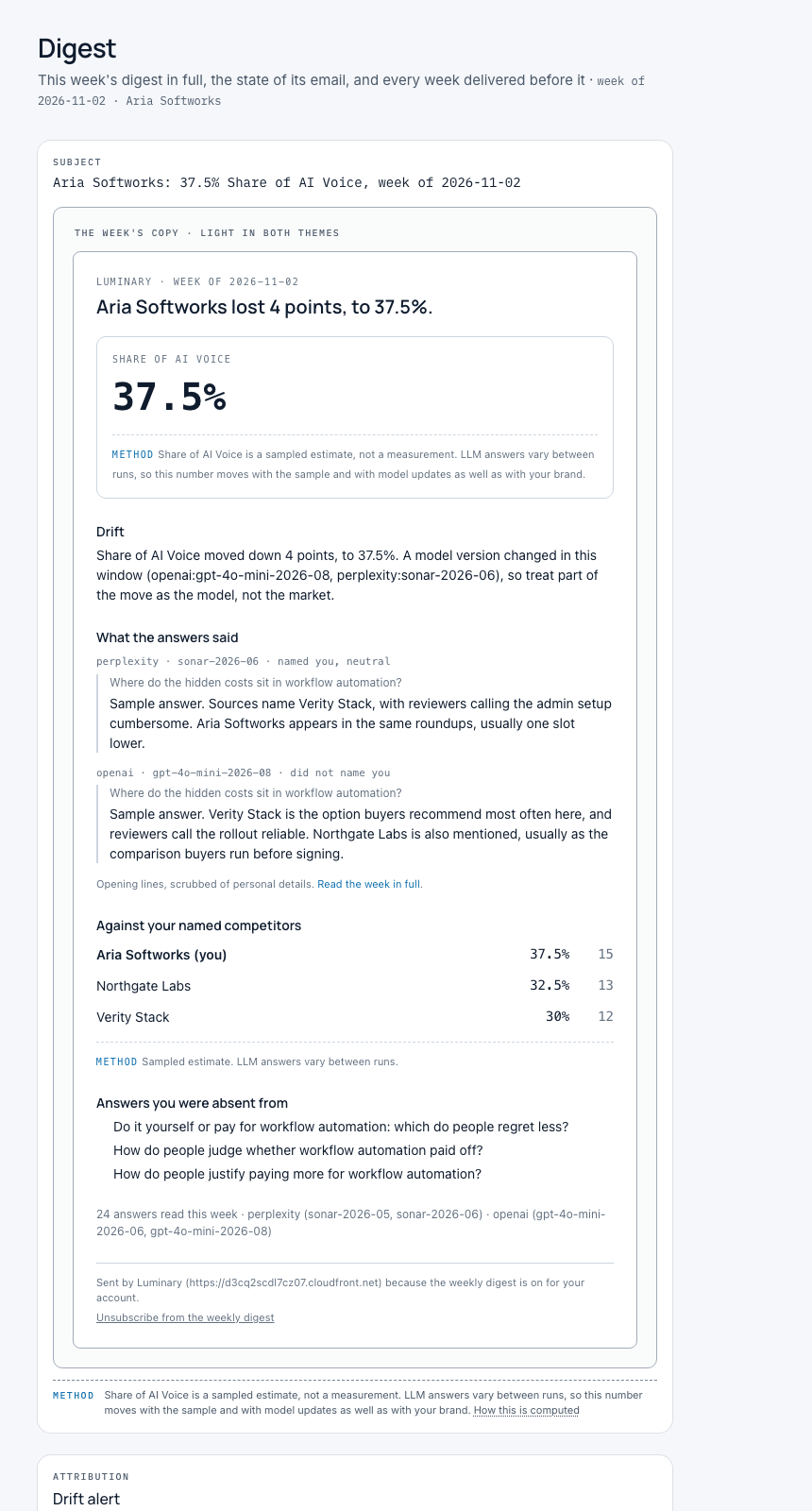
The methodology disclosure is surfaced in-product on every score display, and on a dedicated static methodology page. A reading that may reflect a model update rather than a market move should say so where the number is read, not only where the footnotes live.
What prompt tracking cannot promise
We would rather state this here than in small type. AI answers are non-deterministic. The same prompt, asked twice, can return different wording and a different order of brands, and providers update their models without telling anyone. A move in your numbers from one week to the next may reflect a model update rather than a real competitive change, which is why every answer is stored tagged with the model version that produced it, and why the methodology caveat is attached to every computed score rather than sitting only on a separate page.
Can the prompt set be changed after setup
Plainly: no. The 50 to 100 prompts are frozen at setup and the same set runs every week, which is the whole reason the trend is readable. There is no editing of individual prompts in the product. The one declared exception is a curated fallback set, which can be replaced before its first run, after which it stays as written. If you want a different question list, that is a decision to make at setup, not in week six.
A prompt set measures what it contains
It is a sample of the questions your buyers ask, generated from what you told us about your brand, not a census of every conversation happening in ChatGPT. Two tools can report different figures for the same brand without either being wrong, because they are asking different questions. Read your score as a directional instrument with the evidence attached, which is what it is.
Where this sits in the rest of the product
The prompt set is the input. What comes out of it is covered on its own pages: the single weekly score on the AI visibility tracker page, the answer by answer comparison on the competitor benchmarking page, sentiment and ranking position inside each answer, the weekly digest with its drift alerts, and the working method for measuring AI visibility if you want the approach before the software.
Seenby is not open yet
We are building Seenby now and taking names for early access. Starter is £79 a month for one brand, up to three named competitors, 50 prompts a week across both providers and the weekly digest; Growth is £149 for 100 prompts a week with the per-prompt evidence and the full scrubbed answer log; Agency is £399 for up to five brands, each with its own frozen set. Sign-in is email and password, the app and its Postgres database run in a single region on Amazon Web Services, card payments are handled by Stripe, email sends through Amazon SES, and the prompt set itself is drafted by an Anthropic model. The site's privacy policy names the company that sells Seenby, and that company reads email at hello@kaleidoapps.com for a security problem or a request about a person's data. If AI search prompt tracking is on your list for the next quarter, join the waitlist and tell us your category.
Questions
How many prompts does Seenby track?
Between 50 and 100, generated at setup. Starter runs 50 prompts a week, Growth 100, and Agency 100 per brand, in each case across the two providers, OpenAI and Perplexity.
Where do the prompts come from?
From what you enter during onboarding: your brand name, your description of it, and up to three competitor names. One model call turns those into 50 to 100 prompt templates. If that call fails or returns too few prompts, a curated fallback template set is used instead.
Can I change the prompt set after setup?
No. The set is frozen at setup and the same prompts run every week, and there is no editing of individual prompts in the product. The one exception is a curated fallback set, which can be replaced before its first run.
Which AI engines are the prompts run against?
OpenAI and Perplexity, exactly two providers, behind an adapter that degrades to the remaining provider if one is disabled rather than failing the week.
Why is the prompt set fixed instead of updated continuously?
Because a trend needs a fixed question. If the prompts change, a movement in your numbers could be the new prompts rather than the market, and there is no way to tell the two apart afterwards.
Do I need to name competitors?
You should. Share of AI Voice is a comparison, so a set built without any named competitors has nothing to compare your mentions against. Every plan holds up to three names.
What does it cost?
Starter is £79 a month, Growth £149 a month and Agency £399 a month. All three include both providers, up to three named competitors and the weekly email digest.
Can I use Seenby today?
Not yet. Seenby is in build and we are taking waitlist signups, so you can hold a place and tell us the category you want the prompt set built for.